Stop answering
“what’s the WiFi?”

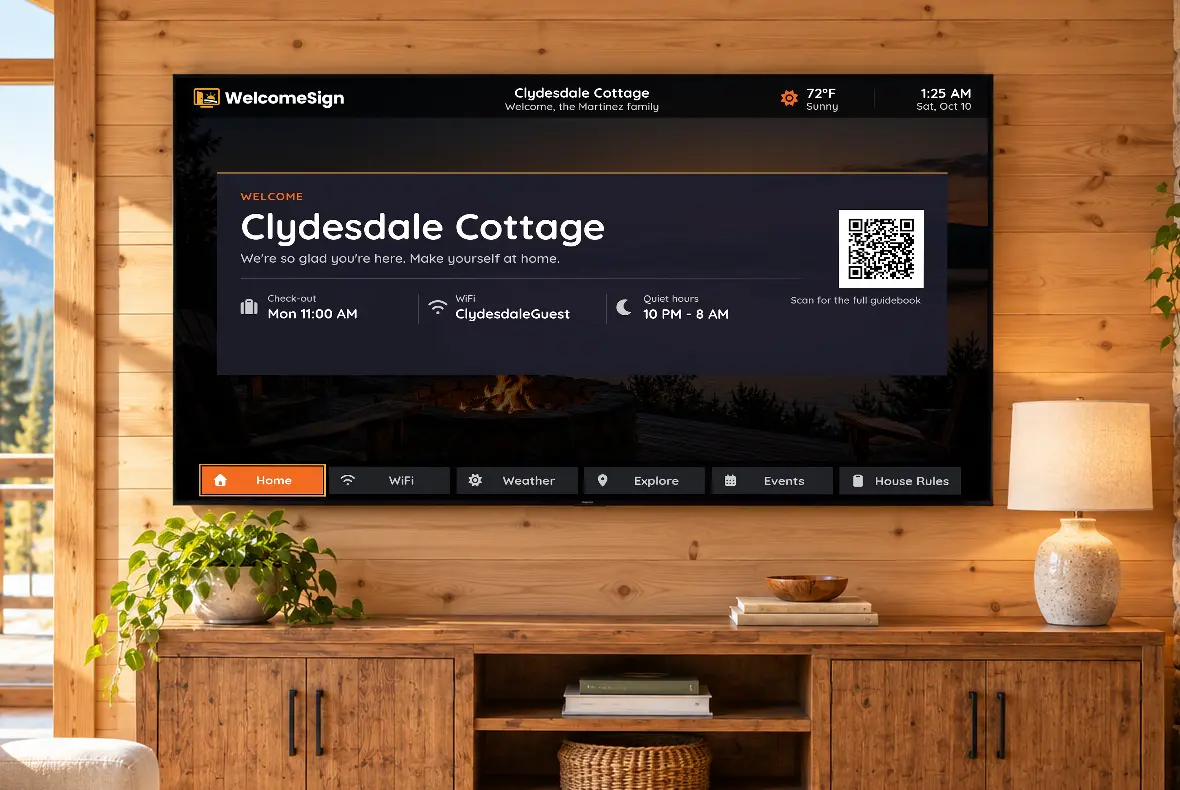
WelcomeSign turns the TV in your vacation rental into a digital welcome screen: the guest’s name, WiFi with a join QR code, weather, local recommendations, house rules and check-out steps, plus a phone guidebook guests open by scanning the QR.

Free for your first property. No credit card.

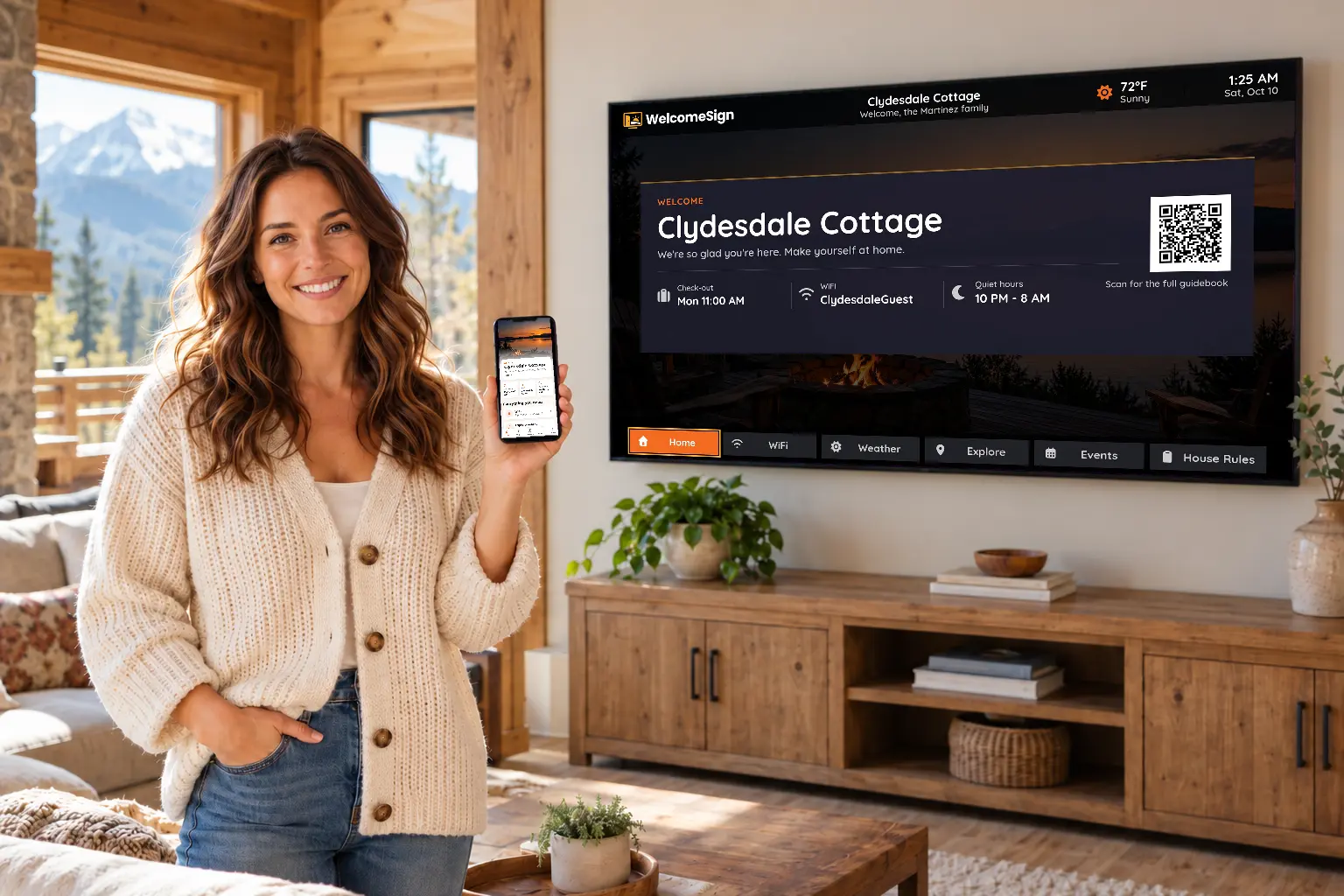
A vacation rental host holding a phone with the guest guidebook, in front of a living room TV showing the WelcomeSign welcome screen: Clydesdale Cottage, check-out time, WiFi network, quiet hours and a guidebook QR code

All the info your guests need, right on the TV.

See your welcome on a TV

Paste your Airbnb listing link — we’ll build your guests’ welcome screen in seconds.

In the Airbnb app: Share → Copy link. Airbnb listings only for now.

Scan with your phone’s camera

Open signup

Less back-and-forth. More hospitality.

Before

The same questions over and over…

After A rental living room TV showing the WelcomeSign screen that answers those questions: WiFi network, check-out time, quiet hours and a QR code for the full guidebook

The TV answers for you.

How it works

About 15 minutes from sign-up to a TV that greets your guests by name.

  1. 1

    Add your property

    Create a free account, add the basics and a welcome message. No credit card.

  2. 2

    Pair your TV with a code

    Install the free WelcomeSign channel from the Roku Channel Store and enter the code it shows.

  3. 3

    Guests see their welcome

    WiFi, check-in times, weather and your greeting are on the TV when they walk in. Change them any time.

Get WelcomeSign on Your TV

Available now on Roku, with more platforms coming soon. Join the waitlist to be notified when your preferred platform launches.

Available Now

Roku

Works on all Roku streaming devices and Roku TVs

Get on Roku Channel Store
Coming Soon

Apple TV

Native app for all Apple TV devices

Join Waitlist
Coming Soon

Amazon Fire TV

Support for Fire TV Stick and Fire TVs

Join Waitlist
Coming Soon

Google TV

Android TV and Google TV devices

Join Waitlist
Coming Soon

Samsung Smart TV

Tizen-based Samsung Smart TVs

Join Waitlist
Coming Soon

LG Smart TV

webOS-based LG Smart TVs

Join Waitlist

Don't see your platform? Join our waitlist and let us know what you need.

Everything Included in Your Vacation Rental Welcome Screen

Everything you need to create a professional first impression for your guests. Simple, reliable, and ready to use.

Personalized Welcome Message

Greet guests by name with a custom message. Make them feel expected and valued from the moment they arrive.

WiFi Network & Password

Display your network name and password prominently. No more texting credentials or printing paper signs.

Host Contact Number

Your phone number displayed clearly so guests can reach you if needed. Professional and accessible.

Local Weather

Current conditions and forecast for your property's location. Helps guests plan their day.

Check-in & Check-out Times

Clear display of arrival and departure times. Reduces confusion and last-minute questions.

Property Information

Property name and essential details. Everything guests need at a glance when they walk in.

Currently Available on Roku Works on all Roku streaming devices and Roku TVs. Get the app | Join waitlist for other platforms

On the Roadmap

We're building fast. Here's what's coming next — all included in your plan as we ship it.

Apple TV Support

Native app for all Apple TV devices

Amazon Fire TV

Support for Fire TV Stick and Fire TVs

Google TV

Android TV and Google TV devices

Airbnb Calendar Sync

Automatically sync your bookings from Airbnb

QR Code Generator

WiFi connect and direct booking links

Local Recommendations

Restaurants, activities, and attractions

Custom Templates

50+ designs for different property types

Analytics Dashboard

Track engagement and screen views

Video Welcome Messages

Record personalized video greetings

Digital House Manual

Complete property guidebook on TV

Smart Lock Integration

Display door codes from August, Yale, etc.

Revenue Features

Advertising and commission opportunities

New Features Shipping Regularly

2026

Join now and help shape what we build. Your feedback directly influences our roadmap.

Hosts Are Saying Goodbye to Repeat Questions

See how vacation rental hosts use WelcomeSign to give guests a warm, professional welcome from the moment they walk in.

★★★★★

"We used to get three texts about the WiFi password every check-in. Since putting WelcomeSign on the living-room TV, that's basically stopped — guests turn on the TV and everything's right there."

SM
Sarah M.
Airbnb Superhost · Asheville, NC
★★★★★

"Setup took me maybe ten minutes. I added our welcome message, check-out time, and the local weather, and it just works. The place feels a lot more put-together the second guests arrive."

DR
Daniel R.
Cabin host · Lake Tahoe, CA
★★★★★

"I manage four beach condos and wanted them all to feel consistent. Now every unit greets guests by name with the same clean screen. The free plan got me started and it was a no-brainer."

PN
Priya N.
Short-term rental host · Gulf Shores, AL

Simple, Honest Pricing

Start free for your first location — and stay free, forever. Upgrade to Hoster or Business when you grow.

Free
Free / forever
1 location · 2 TVs
  • ✓ All current features included
  • ✓ Roku app access
  • ✓ Future features as released
  • ✓ Email support
  • ✓ No credit card required
Get Started Free
Business
$59 / year
20 locations · Unlimited TVs
  • ✓ Everything in Hoster
  • ✓ Up to 20 locations
  • ✓ Unlimited TVs per location
  • ✓ Priority support
  • ✓ Early access to new features
Get Started

Frequently Asked Questions

Everything you need to know about setting up a digital welcome screen for your vacation rental.

What is a vacation rental welcome screen?

A vacation rental welcome screen is a digital display on your property's TV that greets guests with WiFi credentials, check-in and check-out times, house rules, local recommendations, and real-time weather — replacing paper guidebooks and printed signs.

Does WelcomeSign work on Roku, Fire TV, and Apple TV?

WelcomeSign is currently available on all Roku streaming devices and Roku TVs. Amazon Fire TV, Apple TV, Google TV, Samsung Smart TV, and LG Smart TV support are all coming soon. Join the waitlist to be notified when your platform launches. Have a Samsung, LG or Vizio TV now? Here's how to use WelcomeSign on it today.

How do guests see the welcome screen when they arrive?

Guests simply turn on the TV and the WelcomeSign app displays automatically — no remote navigation needed. They see a personalized greeting, WiFi password, check-in and check-out times, local weather, and your contact number instantly.

Is WelcomeSign free for Airbnb and vacation rental hosts?

Yes. WelcomeSign is free forever for your first location with up to 2 TVs — no credit card required. Need more? Hoster is just $29/year for up to 5 locations, or Business at $59/year for up to 20 locations — both with unlimited TVs per location.

Can I show local activities and recommendations on my vacation rental TV?

Local activity and restaurant recommendations are on the roadmap. The current version already displays WiFi, check-in times, weather, host contact info, and a personalized guest greeting. Sign up now and get every new feature as it ships.

Ready to Try It?

Set up your first Welcome Sign in about 15 minutes. Free for your first property, no credit card needed.

✓ Free forever for 1 property
✓ No credit card required
✓ Cancel anytime
Create Your Free Account →